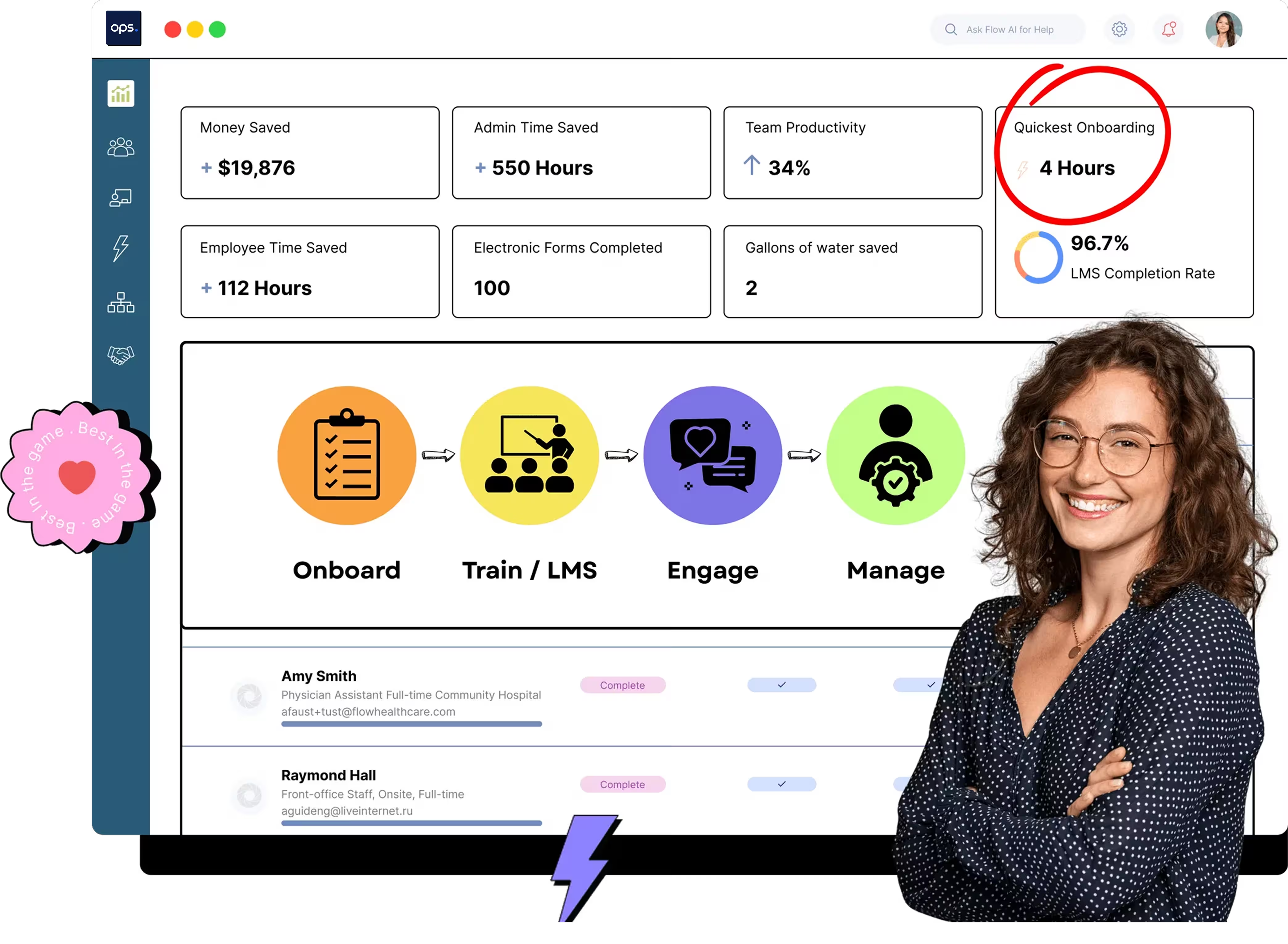
Employee training management software helps healthcare organizations create, deliver, and track training progress in one centralized platform. Tools like ops.work offer a range of features, including automated training workflows, standardized compliance management, and role-based training to improve consistency and reduce administrative workloads.
Key Takeaways
- Employee training management software centralizes all your training activities, including creating, assigning, delivering, tracking, and generating reports
- A good training management software should have both core and advanced features to streamline training
- Security, content management, integrations, centralized storage, and reporting should be key features to look for when purchasing employee training management software
- Moving your training management from spreadsheets to software should happen gradually, with regular monitoring to ensure success
- Engaging employees and key stakeholders when adopting a new employee training management software ensures reduced resistance and better ROI
Employee training familiarizes employees with the tools you use in your institution and provides role-specific training to equip employees for success in their respective roles.
Employee training management platforms provide a centralized location for storing and managing your training documents.
Selecting the right tool can enhance learning and development (L&D) workflows, saving your facility time and money, and improving employee retention.
Here’s a detailed guide to help you choose the best tool for your facility.
What Makes Employee Training Management Software Essential in 2026?
Manual skill development processes are prone to errors, delays, and inefficiencies. These shortcomings can create compliance risks and higher turnover rates. Here’s how the right training management tool benefits your facility:
- Automated Training Workflows
Comprehensive training management software automates workflows, eliminating the delays and errors associated with manual processes. With this tool, you can automate course creation, delivery, progress tracking, and reporting.
Ops.work is a comprehensive tool that offers robust LMS features to facilitate staff training and professional development.
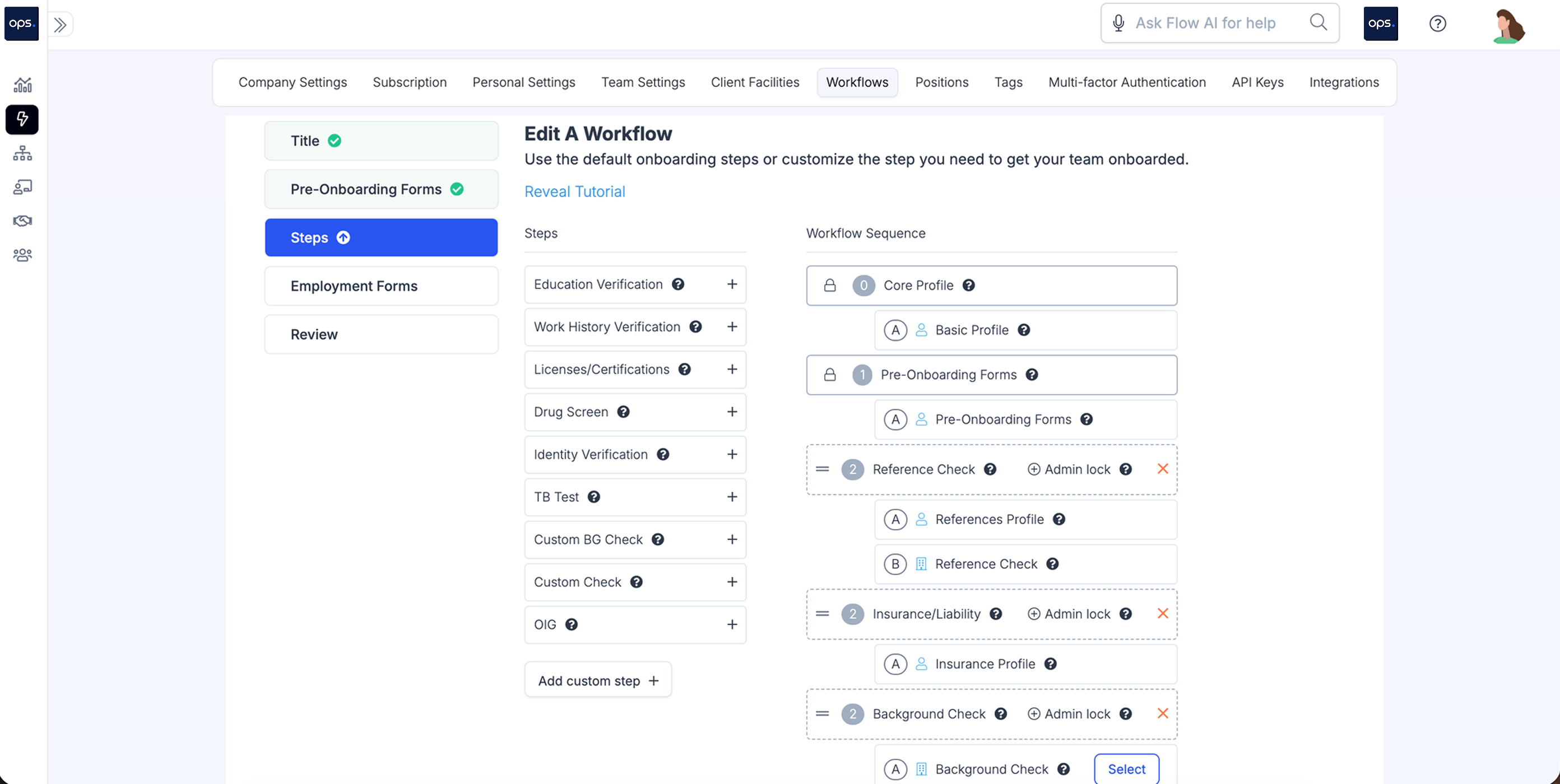
With the platform, create staff profiles to track employee training progress:
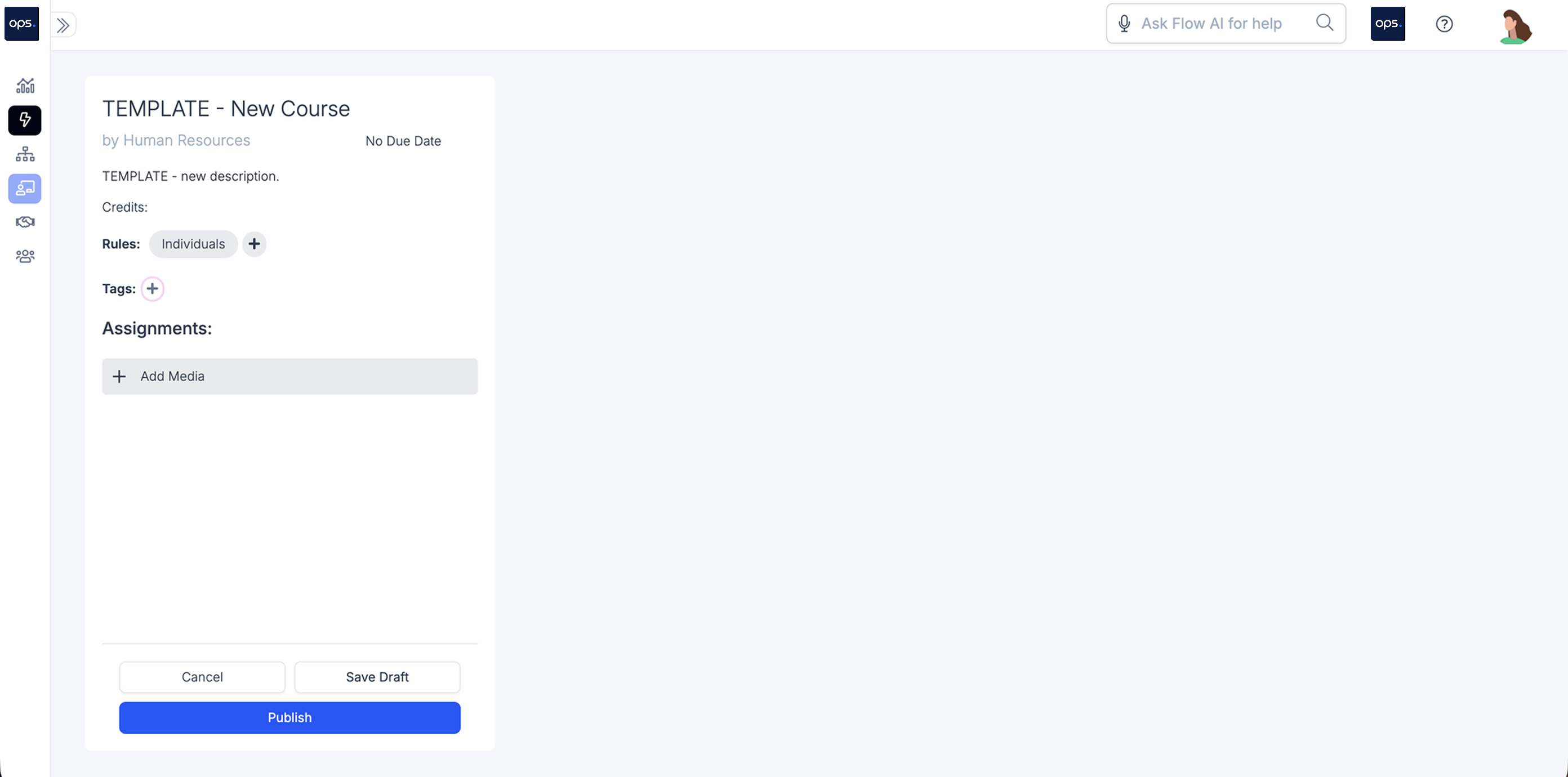
You can also create new courses from custom templates:
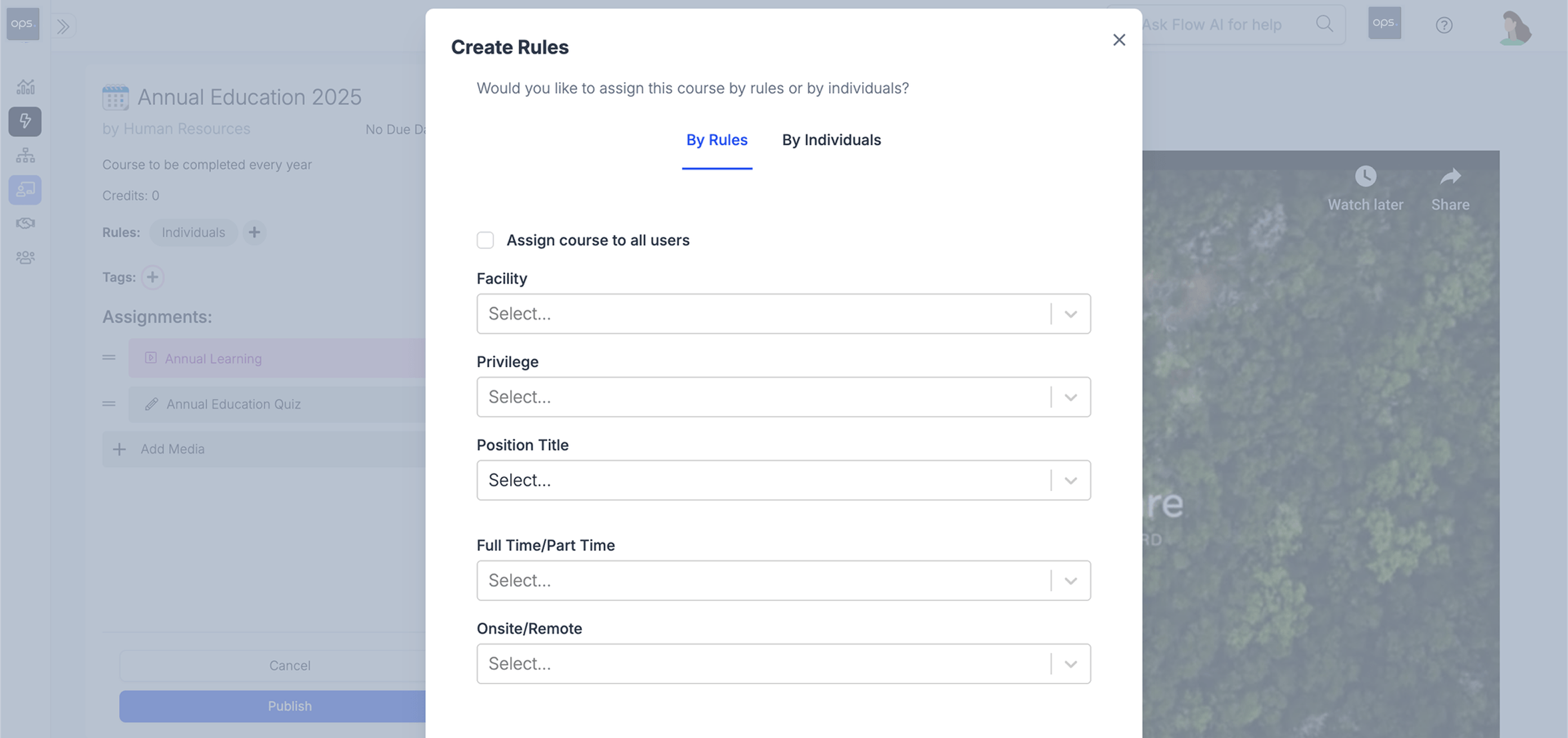
Once you’ve created the courses, you can assign them to staff members based on your preset rules, facilitating role-based or facility-wide training:
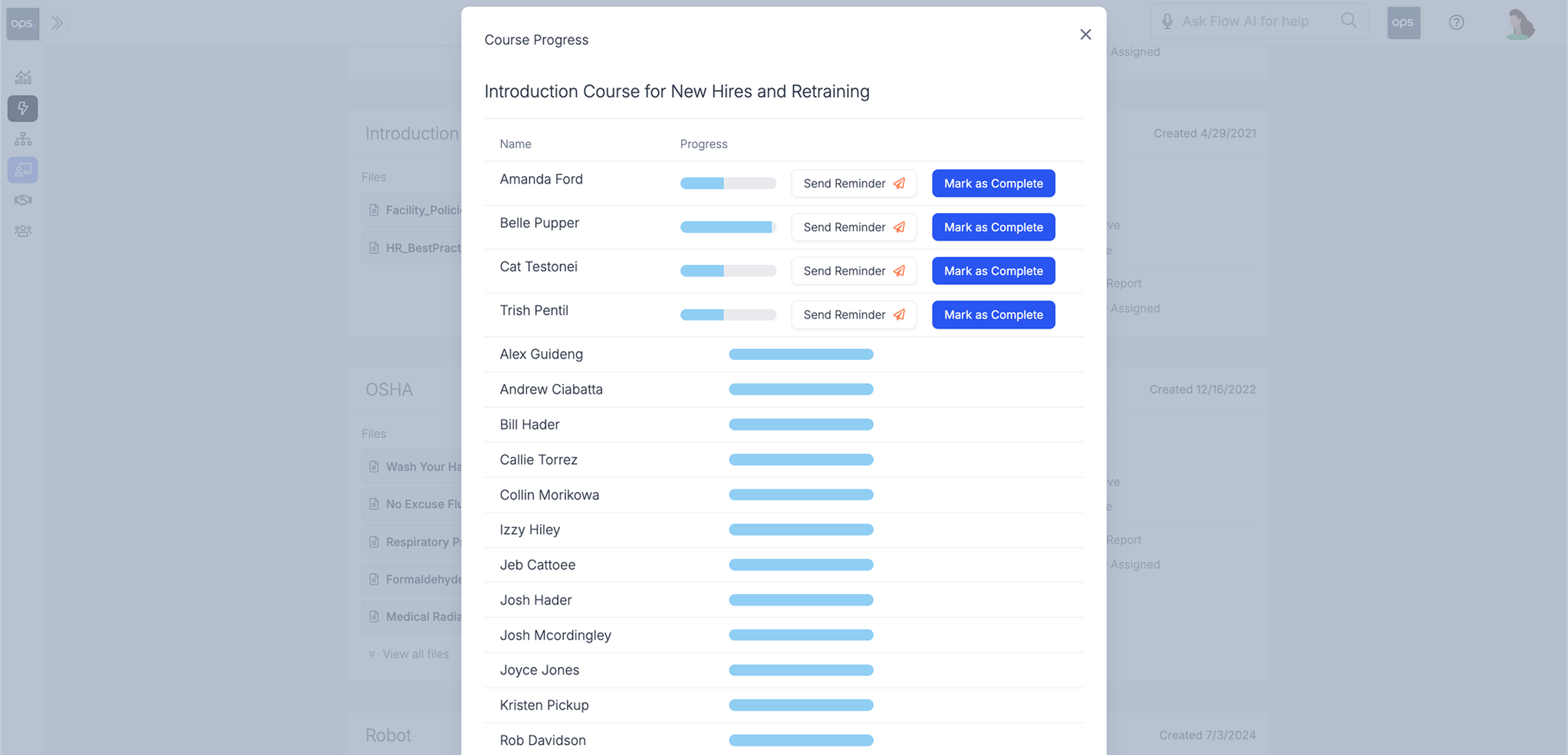
Ops.work makes it easier to track course completion rates and generate reports for each course:
- Standardized Compliance Training and Management
Healthcare facilities operate within a set of federal and state regulations, such as:
- HIPAA
- False Claims Act
- CMS
- HITECH Act
- Stark Law
- OSHA
Training management software helps you create and deliver compliant training across all departments. It also simplifies the course editing process, meaning you can create and manage learning materials as regulations evolve.
Besides helping you create standardized compliance training courses, a learning management system should facilitate compliance with regulations that healthcare facilities operate under, such as protecting PHI and maintaining audit-readiness.
Ops.work operates under strict compliance standards as a healthcare partner. Our platform is HIPAA compliant and meets SOC 2 Type II security standards.
As part of our security measures, the tool comes with:
- Single sign-on (SSO) features
- Multifactor authentication
- Access control following the principles of least privilege
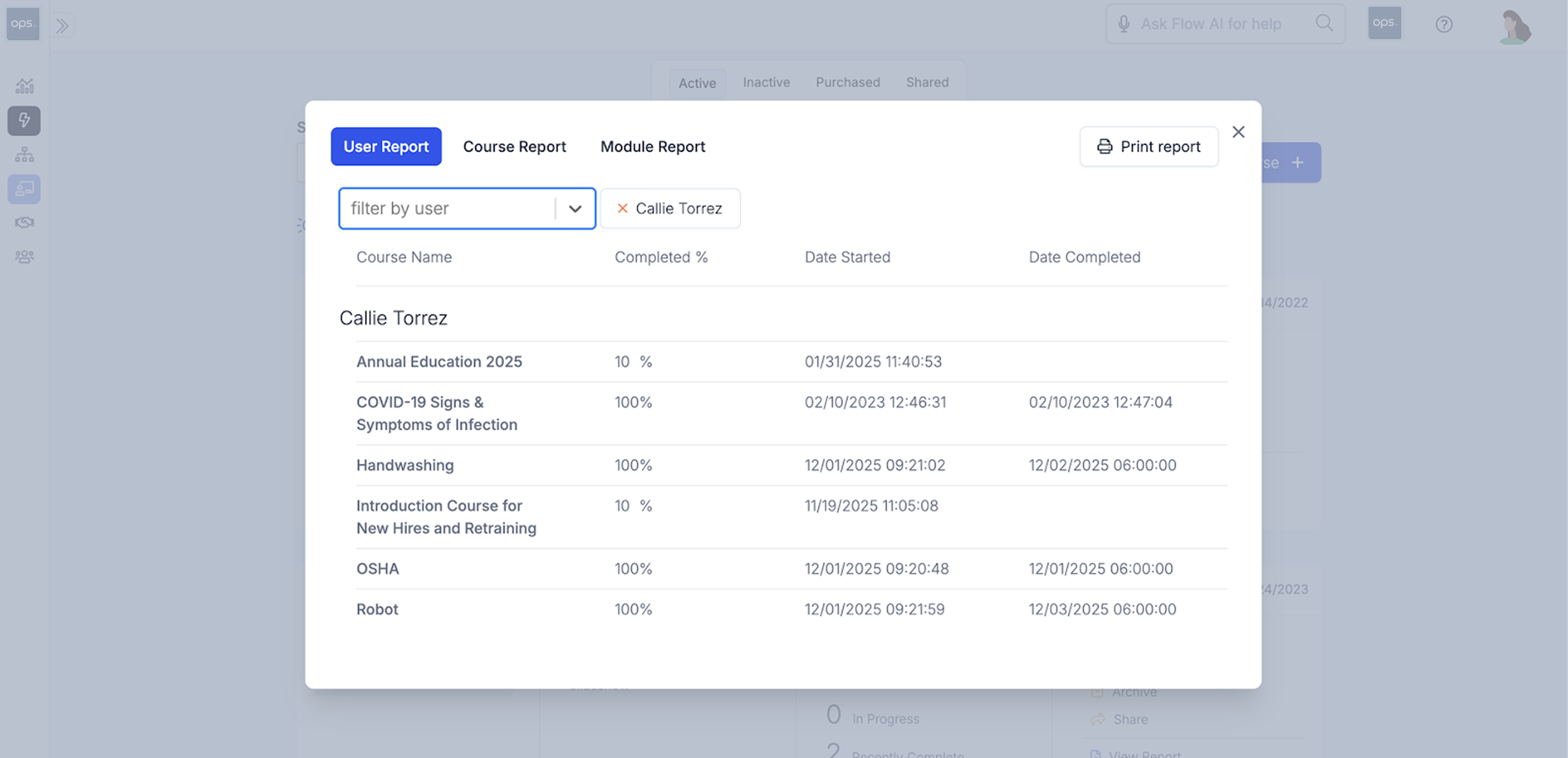
The platform makes it easy to generate various LMS reports:
- Feedback,Progress Tracking, and Reporting
Training management software features in-built tracking capabilities that enable you to track course completion rates, assess performance, collect feedback, and generate customized reports.
With these capabilities, you can assess the effectiveness and completion rates of the courses offered. In addition, you can send reminders to employees to encourage them to complete key courses.
- Role-Based Training Courses
Learning management tools enable you to create role-based learning materials that provide personalized learning paths tailored to each employee’s role and department.
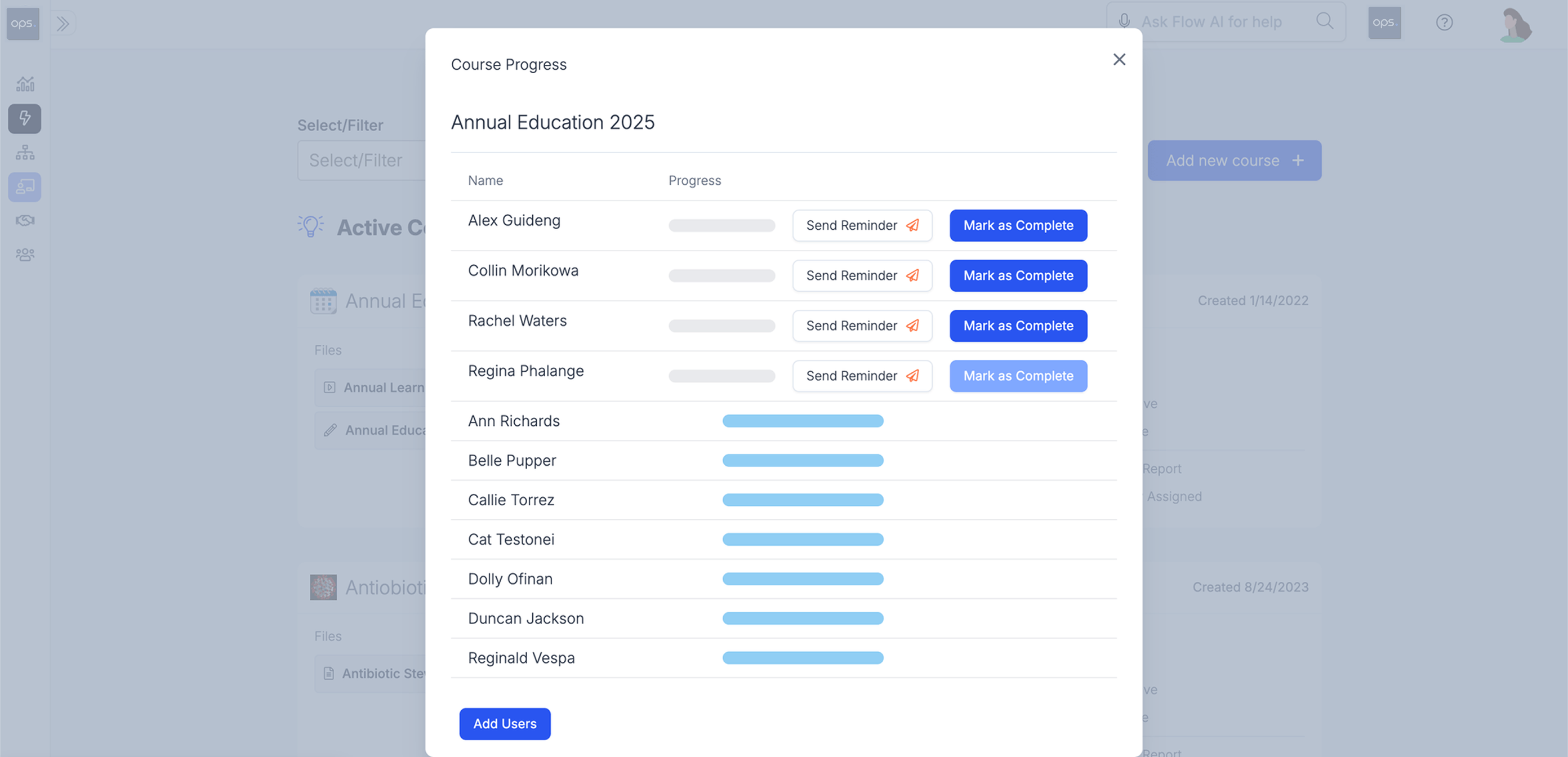
Ops.work has a robust set of L&D features that allow you to curate role-based courses and share them with other facilities. You can choose who has access to which course based on their position and location:
- Centralized Database For All Your Training Resources
Manual organizational learning systems often fail due to data silos. When each department has its own training repository, it becomes harder for L&D teams to track what each employee is learning and whether it meets internal and external regulatory standards.
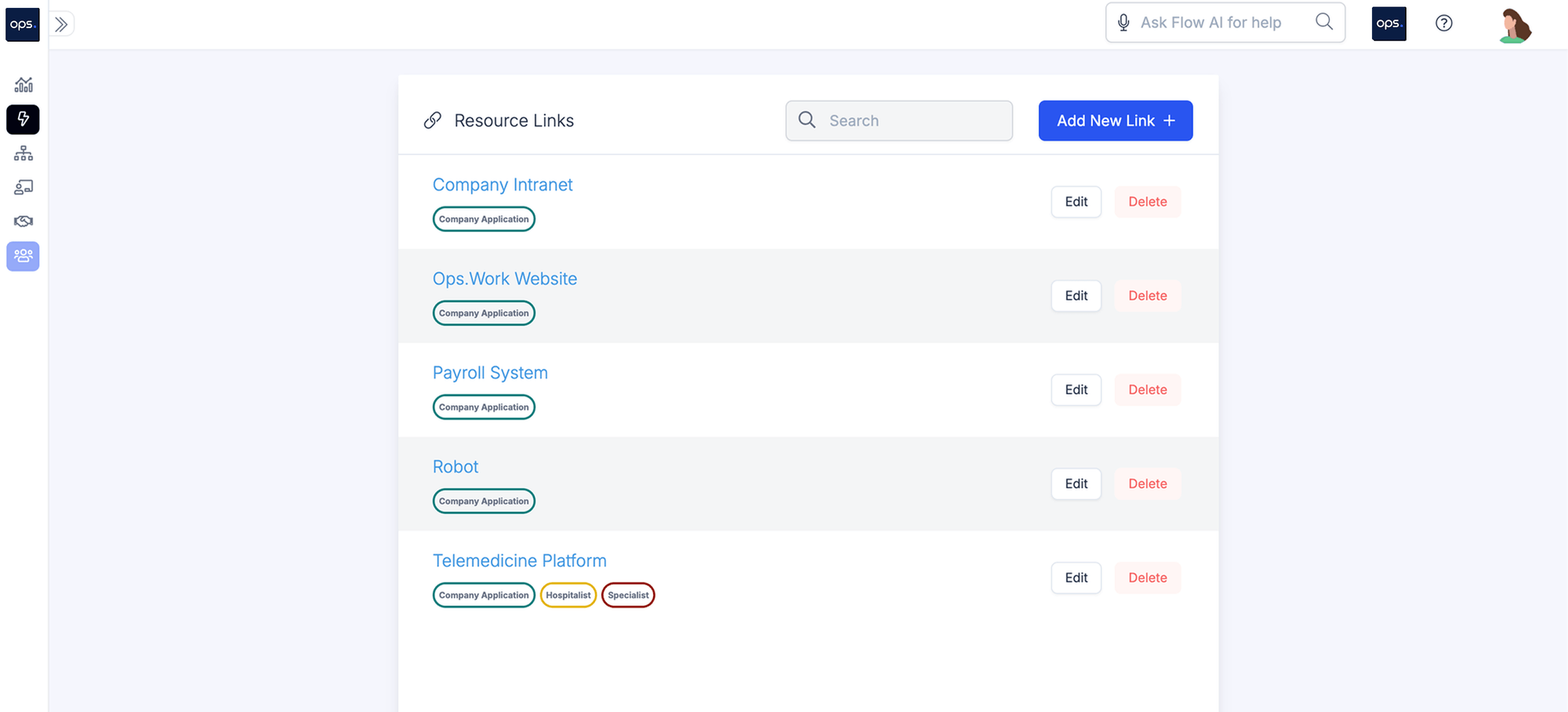
Organizational learning tools such as ops.work provide a centralized database to store all your training materials. This makes it easier for employees to access key resources for skill development and compliance. You can set access controls to determine who has access to these resources.
- Internal Communications
Your training and development efforts won’t matter if staff aren’t engaged enough. Corporate learning tools come with built-in communication features that allow you to send messages directly to your staff.
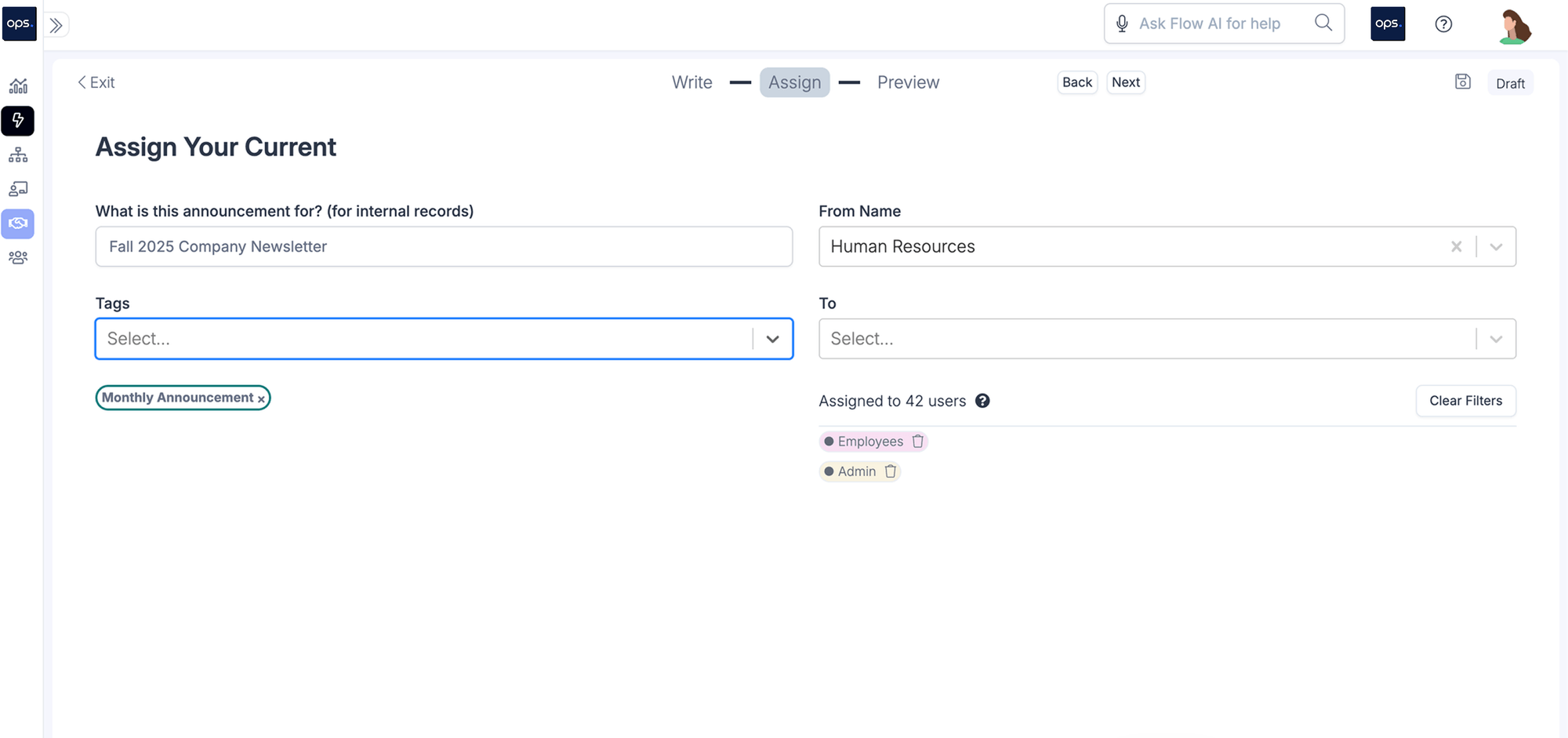
With ops.work, the ‘Currents’ feature allows you to send announcements or messages directly to your staff member. This way, they are aware of the new or upcoming courses:
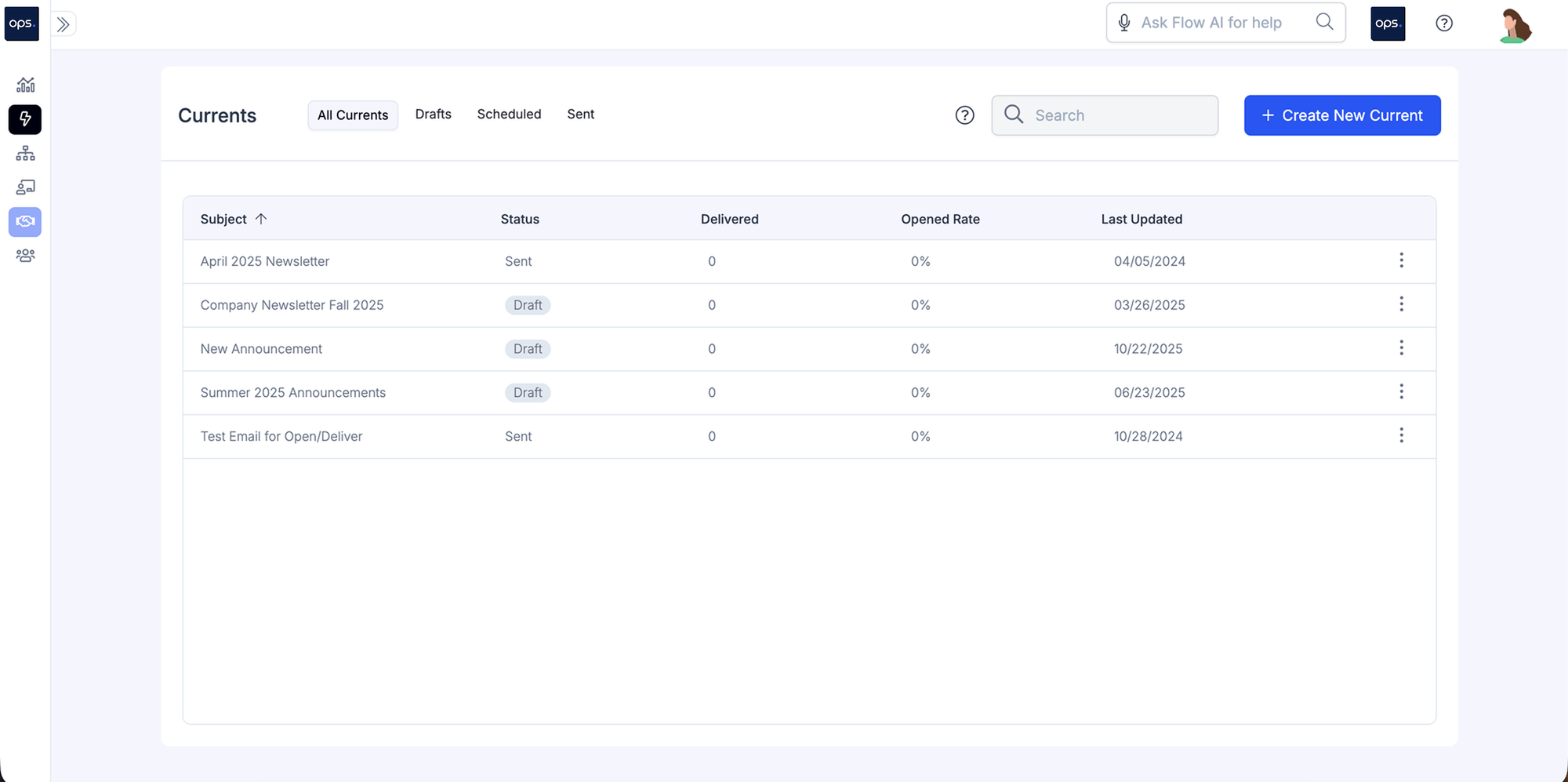
Each current you send is tracked to ensure you have data on how many staff members opened the messages. This is crucial in informing follow-up actions, especially for mandatory compliance training courses:
Ops.work also integrates with communication and productivity tools, such as Slack, to enhance collaboration and engagement in staff training initiatives.
What are the Core vs. Advanced Features You Need in a Training Management Software?
Part of running a successful training program is selecting the right platform, which should include a combination of core and advanced features.
Core Features
Core features make up the foundational functionalities of a software. Some core features to look for include:
- Course management
- Content delivery with support for multiple formats, including videos, PDFs, and SCORM
- Assessment and grading
- Basic reporting and tracking
- Mobile accessibility, whether it's a mobile app or a responsive website, across all devices
Advanced Features
Advanced features provide additional functionalities to your employee development solution. These features include:
- Advanced reporting and analytics
- Integrations
- User groups and permissions
- AI functionalities
- Social learning features
- Collaboration tools
- Workflow automations such as compliance tracking, enrollment, and reminders
- Customization features
Ops.work offers a combination of core and advanced features for streamlined training, staff engagement, and workforce management. Sign up for a free account to test these features.
Compliance Tracking for Regulated Industries
Compliance tracking involves documenting how your staff development courses meet regulatory standards and ensuring that each employee has received effective education on these standards.
It keeps your facility audit-ready, thereby reducing legal, financial, and reputational risks. Begin by determining the metrics to track for each mandatory course. These may include:
- Completion rates
- Assessment scores
- Recertification requirements
- Compliance thresholds
- Role-based compliance training metrics
Here’s a breakdown of what your compliance tracking reports should document:
- Employee information, including their name, department, job title, and location
- Information about the program, including its title, mode of delivery, and completion status
- The rationale behind who receives role-based training
- Time-stamped records of course completion (preferably with verification documentation)
- Assessment records that show the employee’s performance
- Records of the version of courses the employee took
- Recertification training records, including documentation of the last time the course was taken and the upcoming training date
- Escalation efforts for non-completion of courses
Ops.work is designed for healthcare facilities. We have invested in making our platform compliant with HIPAA regulations. We are also SOC 2 Type II certified.
Integration Capabilities That Matter Most in Training Management Software
An effective learning and development platform should not exist in isolation. Instead, it should connect with other technology platforms within your facility. This enables better workforce management and ROI tracking.
Some of the key integrations that matter in a training platform include:
- Integration with HR software
- Productivity and task management integrations
- Communication tools to enhance collaboration in corporate learning
- Content creation tools
- AI
- Authentication and permission control tools
- Data analytics and visualization tools
Pricing Models Explained (Per-User vs. Flat Fee)
Employee training management systems are an ongoing expense for clinical facilities. Therefore, understanding their pricing model is crucial for budgeting and tracking ROI.
The common pricing models include:
- Per-User Pricing Model
In the per-user pricing model, you pay for corporate training tools based on the number of employees on your team. Under this model, you may pay a fixed price for a certain number of users, regardless of how many were active during the billing period.
Alternatively, you may pay only for the number of active users. Paying for the number of active users in a billing period may be less costly in off-peak periods, but the costs can be higher when you have an influx of staff to train.
Ops.work operates on a per-user pricing model for up to 500 users. You can choose from our free plan, suitable for facilities with up to 10 employees, or our Pro plan, designed for facilities with between 11 and 500 users.
- Flat Fee Pricing Model
Under the flat-fee pricing models, your facility would have to pay a fixed amount per year. In most cases, this fee remains the same, regardless of the number of active users during the subscription period.
This pricing model is ideal for rapidly growing facilities, as it enables them to avoid the unpredictable costs associated with exceeding the limits of per-user pricing models.
10 Questions to Help You Choose the Best Employee Training Management Software
1. Does the Training Software Have In-built Compliance and Security Features?
The staff development solution you choose must have built-in compliance trackers and security for staff and patient records. Part of this includes having permission controls for different dashboards.
2. What Content Management Features are Available on the LMS Platform?
Content management features facilitate the creation and delivery of courses. The best employee training software supports the development of various content formats and the delivery of internal and external learning resources through multiple learning models. A good platform also enables you to conduct training needs assessments, helping you develop impactful courses.
3. What Integrations are Available in the Software?
A good training software must offer integrations with other tools in your facility, including your staff records (HRIS), productivity tools, compliance tools, data analytics, and reporting.
4. Does the Vendor Offer Support and Training?
Vendor support and onboarding are key when implementing the LMS for the first time. Ongoing support is also crucial after the implementation phase to address emerging problems.
5. Does the Platform have Centralized Storage?
Data silos are a common problem with manual training tools. Therefore, an employee training system should have centralized storage for courses and staff data. This will facilitate compliance tracking.
6. What Reporting and Analytics Capabilities are Available on the Platform
A good employee skills training software should have robust reporting and analytics capabilities, allowing HR and L&D teams to track employee learning and measure ROI.
7. What is the implementation timeline for the Software?
How long does it take to migrate your course materials from your existing platform, and how easy is that transition?
8. Is it Accessible on Mobile Devices?
Since more people spend their time on mobile devices, it makes sense to choose a platform with mobile access, either through an app or a responsive website.
9. What is the Learning Curve when using the Platform?
Ask about how easy it is for both your employees and administrators to use the platform. Ideally, it should be easy to use for both administrators and staff.
10. What is the Cost of the Training Software?
Inquire about the price and the features it offers. Select a solution that offers the best value for your facility while meeting your learning and development (L&D) requirements.
What are the Steps to Move Your Training Management from Spreadsheets to Software?
Migrating your training management from a spreadsheet to software can be daunting when you don’t know where to start. Here’s a step-by-step migration strategy to ensure you get the most from the platform:
Step 1: Audit Your Training Materials
Audit your courses, videos, documents, and other resources to determine what you need in the new platform. Identify materials that you may need to update, recreate, revise, or archive. Delete all unnecessary resources and backup materials you’ll be transferring.
Step 2: Create a Migration Plan
Set your migration goals based on why you want to move to a new platform. Collaborate with HR, legal, IT, and L&D to develop goals that encompass all aspects of educating staff. Finally, break down the migration process into phases and map out key timelines.
Step 3: Transfer Content
Once you have the plan, start uploading course materials to the new platform. Label each material accordingly for easy access.
Step 4: Test the New Training Management Software
Test the new training management platform before officially launching it to ensure all features are working as intended.
Step 5: Train Your Staff to Use the New Platform
Train your staff on how to use the new platform to access learning content and guide administrators on how to use the dashboards to create training content and generate reports.
Step 6: Monitor the Performance and Optimize
Once launched, continue to monitor the tool’s performance and make necessary adjustments based on user feedback. Review the courses regularly to ensure they meet internal and regulatory standards.
What are the Best Ways to Maximize ROI Through LMS User Adoption?
Rolling out a new training platform may be met with resistance. Fortunately, you can implement several strategies to boost user adoption and maximize your ROI:
- Develop a change management strategy to guide user adoption and minimize friction as staff move on to the new platform
- Use gamification for engaging learning experiences
- Collect user feedback and address the pain points that are interfering with their adoption
- Create employee onboarding training that’s tailored to their roles and use cases
- Embed in-product guides to help users along as they navigate the platform
Conclusion
Investing in training management software streamlines employee learning, facilitates regulatory compliance, and automates manual tasks. A good employee training system should integrate seamlessly with the existing HRIS, be easy to navigate, scalable, and affordable for your facility.
Ops.work is designed for clinical facilities with up to 500 employees. It has all the features and integrations necessary for compliant and engaging employee development. Get started with our free plan today.
References
“LMS | Ops.work.” Ops.work, 2026, www.ops.work/features/lms.
“Courses | Ops.work.” Ops.work, 2026, www.ops.work/features/courses.